


This guide gives you the overview, shows the rules for every document and leads to lean documentation in six steps. How to create the Statement of Applicability is described in the guide "Creating the ISO 27001 Statement of Applicability (SoA), with a template" (see Read more).
Three sources for your documents
- Required by the standard. Clauses 4 to 10 state explicitly what has to exist as documented information.
- From your Statement of Applicability. Annex A controls that you apply bring documents of their own.
- Set by you. What else your ISMS needs is your decision. The extent depends on the size, complexity and competence of the organisation.
The overview
The table lists the explicitly required documented information in our own words. The "Type" column is our own grouping: definitions say how you work, and evidence shows what has happened.
| Documented information | Clause | Type | Practical example |
|---|---|---|---|
| Scope of the ISMS | 4.3 | Definition | Sites, processes, interfaces to production |
| Information security policy | 5.2 | Definition | Short document approved by top management |
| Risk assessment process | 6.1.2 | Definition | Method with scales and acceptance criteria |
| Risk treatment process | 6.1.3 | Definition | Part of the same method |
| Statement of Applicability | 6.1.3 d | Definition | One line per Annex A control |
| Risk treatment plan | 6.1.3 e | Definition | Control, owner, due date, residual risk |
| Information security objectives | 6.2 | Definition | Measurable objectives with planning |
| Evidence of competence | 7.2 | Evidence | Training, certificates, briefings |
| Evidence that processes ran as planned | 8.1 | Evidence | Logs, tickets, approvals |
| Results of risk assessment | 8.2 | Evidence | Risk register with ratings |
| Results of risk treatment | 8.3 | Evidence | State of the controls, residual risks |
| Results of monitoring and measurement | 9.1 | Evidence | Key figures with analysis |
| Audit programme and audit results | 9.2.2 | Evidence | Programme, plan, report |
| Results of management review | 9.3.3 | Evidence | Minutes with decisions |
| Nonconformities and corrective actions | 10.2 | Evidence | Register with cause and effectiveness |
You can combine several items in one document. One method can cover assessment and treatment, for example, and one register the results of both.
What Annex A adds
Which further documents you need follows from your Statement of Applicability. These three are common:
- Topic-specific policies (A.5.1). Examples are rules on access, suppliers, incidents or mobile working.
- Inventory of assets (A.5.9). It lists information and assets with their owners, in a plant also machines and control systems.
- Documented operating procedures (A.5.37). They describe recurring procedures in IT and production.
What is useful but not in the overview
These records help in daily work. As we read it, the standard does not explicitly require them as separate documents:
- An ISMS manual. A mid-sized company does not need a work of hundreds of pages. Short documents that are correct are better.
- A document overview. It lists owner, version, next review and classification. It is the most important aid for keeping track.
- A project mandate. It shows the backing of top management early on.
- A description of roles. The standard requires roles to be assigned and known. A table is the simplest way to get there.
Rules for every document
Clause 7.5 covers not only what exists but also how you handle it. Check every document against these points:
- Identification. Title, date, owner and version show what it is and which version applies.
- Review and approval. Someone reads it before approval, and afterwards it is clear who approved it.
- Access. The right people find the document, and it is protected from prying eyes and unnoticed changes.
- Changes. They stay traceable, and old versions are recognisable as such.
- Retention. You set the period and the place and settle disposal. The standard does not set the periods.
- Documents from outside. You control manufacturers' manuals for control systems or customer specifications in the same way.
Six steps to lean documentation
- Take stock. Collect what already exists: rules from quality management, work instructions, contracts, training lists.
- Set up an overview. Enter owner, version, next review and classification for each document.
- Close the gaps. Compare the overview with the table above and your Statement of Applicability.
- Set the rules. Decide on identification, approval, distribution and retention periods.
- Approve and communicate. Approve the documents and inform the people affected.
- File evidence as you go. Keep logs and reports when they arise, not just before the audit.
Example from an industrial company
This example is invented. A toolmaker is preparing for certification, and the scope includes production. The comparison brings up three points:
- Printouts on the shop floor. An old work instruction hangs at one machine. It is withdrawn, and from now on only the approved version at the terminal applies.
- Manufacturer's manual. The manual for the control system sits uncontrolled in a cupboard. It goes into the overview as a document of external origin, with version and location.
- Briefing of a contractor. Security briefings took place, but left no record. From now on each briefing produces an attendance list with a date.
None of these points needed a long new document. What was missing was control and evidence.
Typical mistakes
- Paper instead of practice. An auditor wants to see that processes are lived, not just described.
- Old review dates. If the last review was years ago, it stands out in the audit at once.
- Missing training records. They are among the common sources of nonconformities.
- Minutes without decisions. A management review that only takes note of things is not enough.
- Several versions. When a document travels by email, it is often unclear which state applies.
Checklist
- A document overview with owners and versions exists.
- All items in the table are in place or consciously combined.
- Documents arising from the Statement of Applicability have been added.
- Rules for identification, review and approval are set.
- Distribution, access and retention are settled.
- Documents of external origin are recorded.
- Every document has a date for its next review.
- Evidence is filed on an ongoing basis.
Mandatory documents in Complass
A folder structure and an overview in Excel soon drift apart. In Complass, document, control and evidence are one process:
- Guided templates. The ISO 27001 project includes the scope, policy, risk assessment methodology, risk register, risk treatment plan, audit programme and management review, among others, with filling help and sample text.
- Control included. Every document gets a document ID, type, classification, owner, review cycle and distribution list. The portal reminds the owner of the review.
- Versions and approval. Approval stores an immutable version with author, reviewer, approver, date and checksum. If you wish, the four-eyes principle applies.
- Your own documents. You upload existing policies as files, and they go through the same review and approval.
- Document register. All controlled and external documents and open acknowledgements are in one place, exportable as Excel, CSV, PDF or JSON.
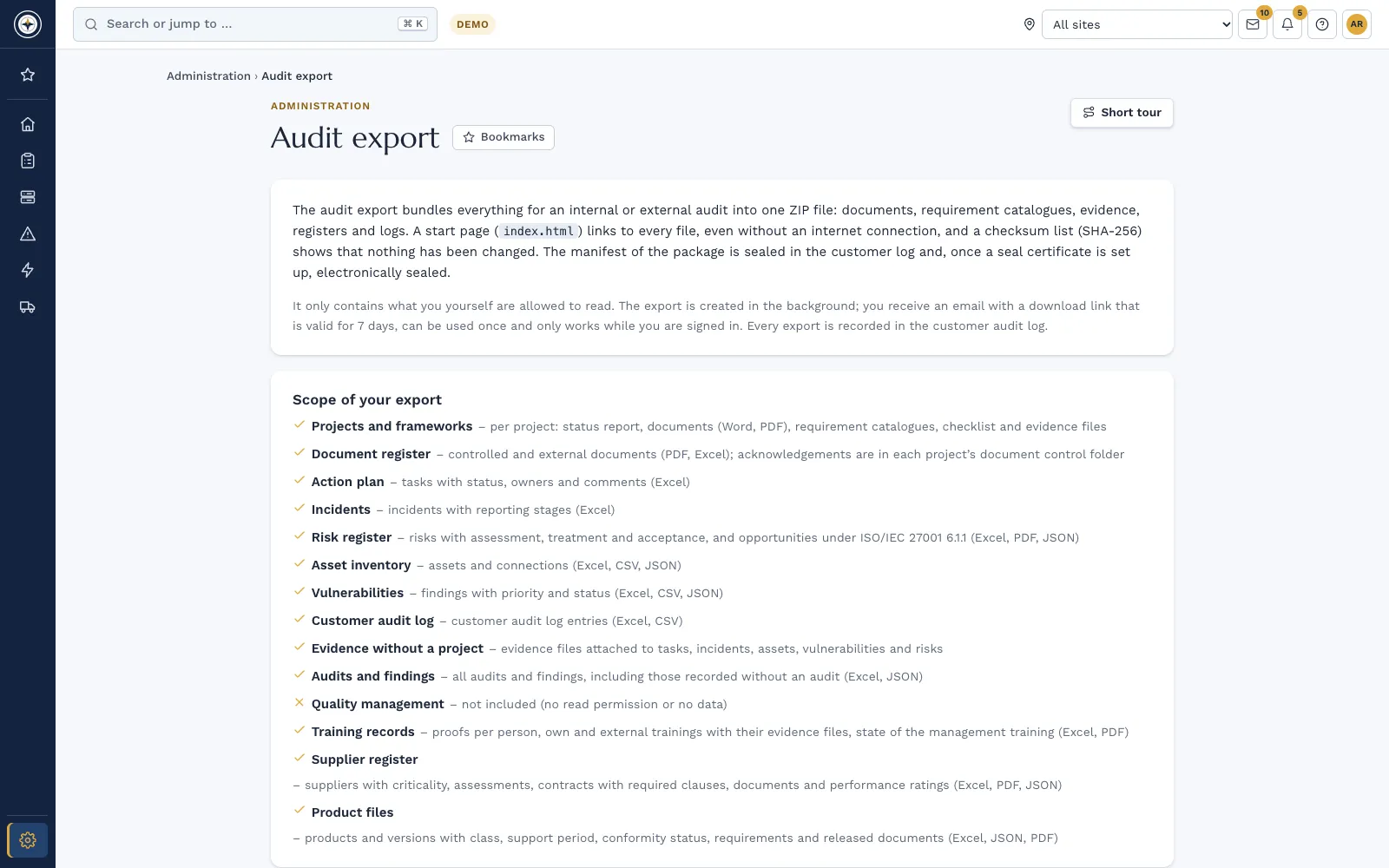
- Audit export. Documents, registers and evidence go to your auditor as a ZIP file with checksums, compiled according to read rights.
The texts of the standard are not included, because standards are protected by copyright. Certification itself is carried out by an accredited certification body; Complass prepares you for it.
Frequently asked questions
How many mandatory documents does ISO 27001 have?
There is no fixed number, because the standard does not prescribe a list of files. Overviews arrive at different totals depending on how they count and combine. What matters is that every requirement is covered.
Does every document have to be a separate file?
No. You can combine items as long as an auditor can find them. The standard requires a suitable format but does not prescribe a particular one.
How long do we have to keep evidence?
The standard names no period; you set it yourself. For audit reports at least three years, one certification cycle, is practical. Laws and contracts can call for longer periods.
Is a file store with versioning enough?
In principle yes, if identification, approval, access and changes are settled. It gets laborious with reminders, acknowledgements and the link to risks and controls. That is exactly what a portal takes over.
Do we need a policy on every topic?
No. Clause 5.2 requires the information security policy. Topic-specific policies follow from the controls you record as applicable in the Statement of Applicability.
In a demo we show you how templates, document control and audit export come together in Complass.
Request a demo Try it for 14 days
Read more
- Whitepaper "ISO 27001: the road to certification – for companies in every sector"
- ISO/IEC 27001 in Complass: from project mandate to certification audit
- Compliance management: catalogues, action plan and evidence
- Guide: Creating the ISO 27001 Statement of Applicability (SoA), with a template
Not legal advice. This guide gives a general overview and does not replace an assessment of the individual case. The wording of your licensed copy of the standard is authoritative.