


The CRA does not set fields or formats. This guide shows what the Regulation says, what BSI TR-03183-2 adds and how to build the bill of materials in six steps, including for firmware and controllers.
What the CRA sets out
| Question | What the CRA says | Reference |
|---|---|---|
| What is an SBOM? | A formal record of the details and supply chain relationships of the components in a product's software elements | Art. 3(39) |
| Which format? | Commonly used and machine-readable; no specific format is named | Annex I Part II(1) |
| How deep? | At the very least the top-level dependencies | Annex I Part II(1) |
| Where does it live? | In the technical documentation, as part of the vulnerability handling processes | Annex VII(2)(b) |
| Who gets it? | The market surveillance authority on a reasoned request, where necessary for its checks | Annex VII(8) |
| Must users receive it? | No. If you make it available to users, state where it can be accessed | Annex II(9) |
| Will details follow? | The Commission may specify format and elements by implementing act | Art. 13(24) |
For products placed on the market before 11 December 2027, the duty applies only if they are substantially modified after that date (Art. 69(2)).
What BSI TR-03183-2 adds
The German Federal Office for Information Security (BSI) sets out concrete SBOM requirements in Technical Guideline TR-03183-2, currently version 2.1.0 of 20 August 2025. The guideline is not a harmonised standard under the CRA. It does, however, show in detail what belongs in an SBOM and goes well beyond the legal minimum.
| Topic | CRA | BSI TR-03183-2 version 2.1.0 |
|---|---|---|
| Format | Commonly used, machine-readable | JSON or XML, CycloneDX from 1.6 or SPDX from 3.0.1 |
| Depth | At the very least top-level dependencies | Recursive for everything in the scope of delivery, up to and including the first component outside it |
| Versions | Not stated | A separate SBOM per software version |
| Vulnerabilities | Not stated | Do not belong in the SBOM; CSAF is recommended, including its VEX profile |
The fields that belong in it
The guideline distinguishes required, additional and optional fields:
- For the SBOM itself. The creator with an email address or URL and a timestamp, plus the SBOM URI if there is one.
- For each component. Creator, name, version, filename, dependencies, licences and a SHA-512 hash of the deployable component.
- Three properties per component. Is it executable, is it an archive, and is it structured?
- If available. Source code address, address of the deployable form, other identifiers such as CPE or purl, and the original licences.
- Optional. For example the effective licence, a source code hash and the address of the creator's security.txt.
CPE and purl matter most in practice. These identifiers let you find the component in vulnerability databases.
SBOM, VEX and CSAF
Three terms, three jobs. The SBOM stays stable for a software version, while the vulnerability picture keeps changing. That is why they are kept apart.
- SBOM. It says what a version consists of.
- VEX. It says whether a known vulnerability actually affects your product, for example "not affected, code is not reachable".
- CSAF. This is the machine-readable format for security advisories. BSI TR-03183-2 recommends it for vulnerability information and names VEX as one of its profiles.
Six steps to your SBOM
- Define the product and scope of delivery. For each product, set out what you ship: firmware, operating software, app, bootloader. If a cloud function is part of the product, include it in your review.
- Generate the list in the build. The list is best produced automatically in the build, not by hand. The BSI guideline asks for the same information that is available during the build.
- Involve your suppliers. Ask for an SBOM for purchased software and modules. If there is none, binary analysis can help, and the gap should be documented.
- Check. Validate the format and required data before release. ENISA also recommends checking the component identifiers and signing the SBOM.
- Store per version. Keep exactly one SBOM for each version you ship. If a component changes, the version changes too.
- Keep matching. Compare the components regularly against vulnerability data. This step is what makes the list useful day to day.
What is different with firmware and controllers
In industry, the bill of materials is rarely as simple as for a pure app. Four cases come up often:
- Embedded Linux. Build systems often already know the packages. Use this data rather than analysing the finished firmware afterwards.
- Purchased modules. Radio modules or runtime systems often arrive as binaries. Agree on SBOM delivery in purchasing.
- Several processors. If a device has several firmware images, the list must cover all the parts you ship.
- Long lifetimes. You need the SBOMs of older versions for as long as they are in the field or in support.
This example is invented: a controller maker learns of a flaw in a cryptographic library. With an SBOM per version, it sees within minutes that only firmware 2.3 and 2.4 are affected. Without them, it has to ask development and suppliers.
Typical mistakes
- First level only. This meets the legal minimum but helps little when the flaw sits in a deeply nested library.
- One SBOM for all versions. You then cannot say which shipped version is affected.
- Excel as a permanent solution. A spreadsheet helps at the start, but it is not a common SBOM format and goes stale at the next release.
- Missing identifiers. Without CPE or purl, matching finds nothing or produces false hits.
- Vulnerabilities in the SBOM. The BSI guideline rules this out, as the SBOM would have to be redistributed with every new report.
The SBOM in Complass
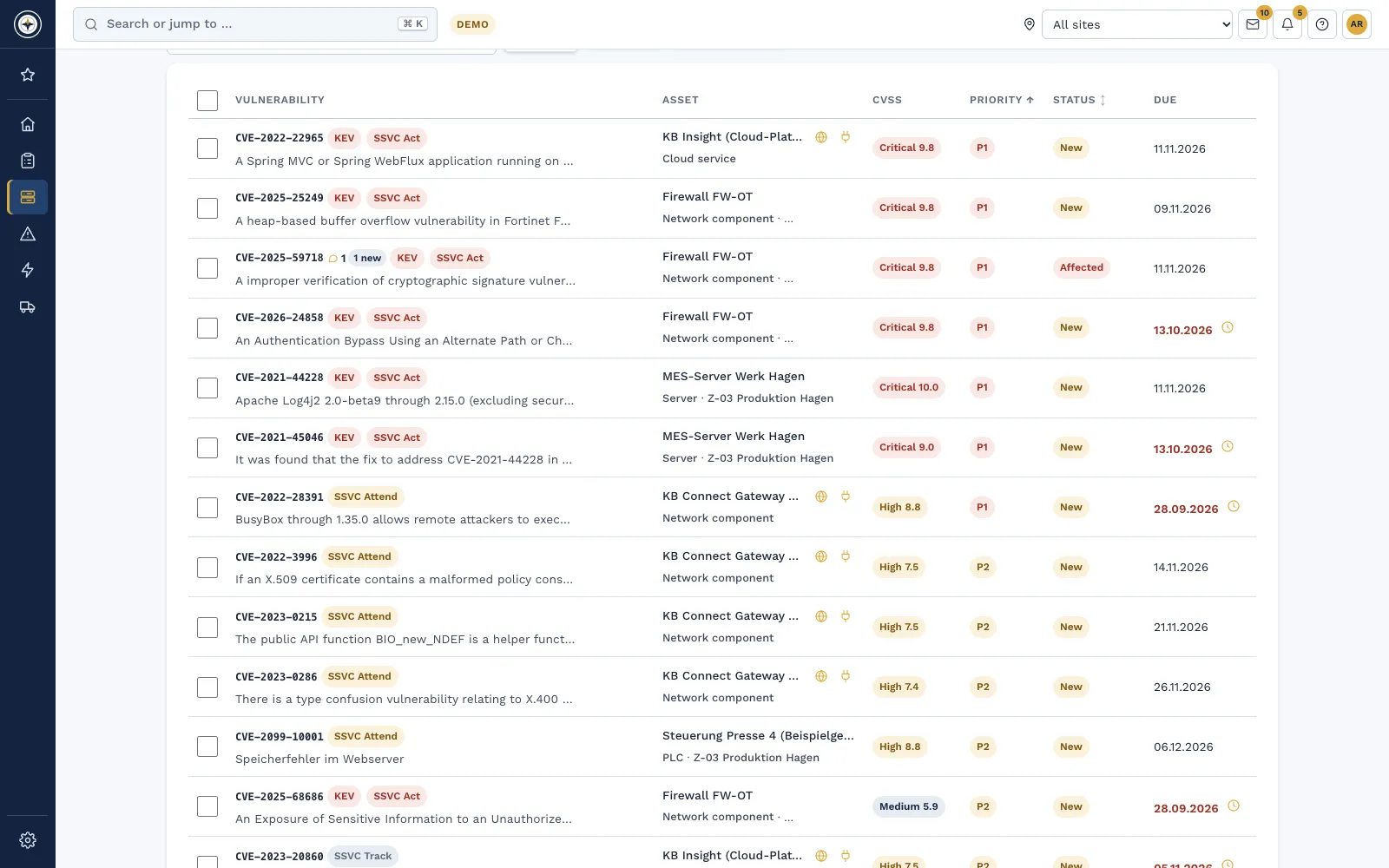
You keep generating the SBOM in your build. Complass connects it with version, vulnerabilities and evidence:
- Import. You upload CycloneDX, SPDX or an Excel or CSV template and see a preview before adopting it.
- Keep snapshots. For each delivery you save an immutable snapshot with a checksum, and you can compare two snapshots.
- Export. You export CycloneDX 1.6 as JSON or XML, SPDX 2.3, SPDX 3.0.1 and CycloneDX VEX. If data is missing in the portal, the SPDX 3.0.1 export leaves it out rather than inventing it.
- Match. Components with a CPE are matched against public vulnerability data without your information leaving the portal.
- Link to the product file. The saved snapshot belongs to the product version and counts in its completeness check.
- Exchange with customers. Through the supply chain exchange, you release SBOM and VEX to customers and adopt your suppliers' SBOMs.
Checklist
- The scope of delivery is described for each product.
- The SBOM is generated automatically in the build.
- Format and version are set, for example CycloneDX 1.6.
- Dependencies are resolved beyond the top level.
- Components carry a CPE or purl.
- Suppliers deliver purchased software with an SBOM.
- There is exactly one saved snapshot per shipped version.
- The SBOM is part of the technical documentation.
- Components are matched against vulnerability data on an ongoing basis.
- It is decided whether and how customers receive the SBOM.
Frequently asked questions
Do we have to publish the SBOM?
No. The CRA does not require publication. The SBOM is part of the technical documentation, and the authority can request it on reasoned grounds (Annex VII(8)). If you share it voluntarily with users, state where it can be accessed (Annex II(9)).
Are direct dependencies enough?
For the CRA, the wording requires the top-level dependencies. BSI TR-03183-2 goes further and requires recursive resolution within the scope of delivery. For handling vulnerabilities, we recommend the greater depth.
CycloneDX or SPDX?
Both are common, and the BSI guideline accepts both from versions 1.6 and 3.0.1. Decide based on what your tools and customers can read. Complass reads and exports both formats.
Does the duty also apply to pure hardware?
The SBOM concerns the software elements of a product (Art. 3(39)). If your hardware contains firmware, that firmware belongs in it.
In a demo, we show you the path from the build file to matching and release to customers.
Request a demo Try it for 14 days
Read more
- Whitepaper "Cyber Resilience Act for manufacturers of hardware and software"
- Whitepaper "Asset inventory, SBOM and vulnerability management: know what runs, and prove what you do"
- Whitepaper "Secure development for manufacturers"
- Cyber Resilience Act in Complass: from applicability to CE marking
- Vulnerability management: finding and working through vulnerabilities
- Asset management: inventory, software and SBOM
Not legal advice. This guide gives a general overview and does not replace an assessment of the individual case. BSI TR-03183-2 and the ENISA recommendations provide orientation and do not replace the Regulation.