

This guide shows what to prepare, how both stages work and what to maintain after registering. The steps follow the BSI's instructions; labels in the portal can change.
Who registers
- Essential and important entities: The guide "Who is affected by NIS2?" clarifies whether you are one.
- Domain name registry service providers: § 33(1) BSIG names them specifically.
- Operators of critical facilities: According to the BSI, they register in the portal as essential entities and need their institution ID for this.
- Companies under DORA: According to the BSI, registration is required, while further duties do not apply (§ 28(6) BSIG).
- Operators of sub-threshold energy supply networks: According to the BSI, they choose a separate option for the classification in the portal.
The details the law requires
§ 33(1) BSIG names five groups of details. Collect them before you start.
| No. | Detail | Where it comes from in practice |
|---|---|---|
| 1 | Name, legal form, commercial register number where applicable | Commercial register; in the portal taken from the ELSTER certificate |
| 2 | Address, contact details with email and telephone, public IP address ranges | IT operations, network documentation |
| 3 | Sector under Annex 1 or 2 BSIG, industry where applicable | Your applicability assessment |
| 4 | Member States in which you provide services of the listed types of entity | Sales, list of sites |
| 5 | Competent federal and state supervisory authorities | Legal, compliance |
What to settle before you start
- Classification: Is the entity essential or important, and which type of entity fits?
- Contact point: The BSI expects a functional mailbox instead of a personal address and one or two telephone numbers in international format.
- Contact persons: Several are recommended. Inform them beforehand, as you confirm this in the form.
- IP address ranges: All public static ranges in CIDR notation, IPv4 or IPv6. If there are none, say so.
- Certificate: Who applies for it, who keeps it and who deputises?
Stage 1: Mein Unternehmenskonto
MUK is the service for digital administrative procedures, based on ELSTER. Without this login there is no access to the BSI portal.
- Apply. Apply for the ELSTER organisation certificate at mein-unternehmenskonto.de. You need a German tax number, of any tax type. A registered office in Germany is not required.
- Wait for the activation data. The data arrives separately by email and by letter. The letter goes to the address linked to the tax number and, according to the BSI, regularly takes at least five working days.
- Download the certificate. Only when you have both can you download the certificate file. This is possible for a limited time, and creating it is free of charge.
- Store it safely. Keep the file and password so that access does not depend on one person.
Stage 2: the BSI portal
- Log in. Open portal.bsi.bund.de and choose "Mit MUK anmelden". Upload the certificate and enter its password.
- Confirm the data. Check the data from the certificate and confirm the transfer. You correct errors in "Mein ELSTER", not in the portal.
- Open the registration. In the NIS-2 area, choose "Zur NIS-2-Registrierung".
- State your classification. Federal body, KRITIS operator, NIS-2 classification, then sector, industry and type of entity. You add further sectors with "Weitere Einrichtungsart hinzufügen".
- Enter states and supervision. List the Member States and give supervisory authorities by their full name. According to the BSI, this is not limited to supervision of information security.
- Enter contacts. Fill in the NIS-2 contact point and contact persons.
- Enter IP address ranges. Add the ranges you prepared.
- Finish. When all mandatory fields are filled, choose "Registrierung abschließen".
Several companies and groups
Each entity checks applicability for itself, so each affected entity also registers. Registering the parent does not automatically cover an affected subsidiary.
- Central office: According to the BSI, a central office can handle the registration of all units. It needs the certificates of the individual entities for this.
- Tax number: Each certificate is tied to the company's tax number, not to a person.
- Post: The activation letter goes to the address linked to the tax number. A central office has to have it forwarded from there.
- User accounts: The BSI recommends one certificate per person. Anyone looking after several companies switches between them in the portal once permissions are granted.
Special registration under § 34 BSIG
§ 34 BSIG also applies to DNS service providers, top-level domain name registries, domain name registry service providers, cloud and data centre providers, content delivery networks, managed service providers, managed security service providers, online marketplaces, online search engines and social networks. They state, among other things, their main establishment and other establishments in the EU.
According to the BSI, the main establishment goes through the normal registration. You also record main and branch establishments and legal representatives in an Excel template from the BSI.
After registering
- Report changes: If details change, tell the BSI without undue delay, at the latest within two weeks of becoming aware (§ 33(5) BSIG). You do this in the NIS-2 area under "Ihre Registrierung".
- Master data: You change data taken from ELSTER only at ELSTER.
- Roles: After registering, the owner role is assigned automatically. The BSI recommends at least two owners, and the last one cannot be removed.
- Use the portal: This is where you report security incidents and receive BSI information such as daily situation reports.
- File the records: Keep the submitted data and the date.
Typical stumbling blocks
- Certificate at the tax adviser: Access and password sit outside the company or with a person who leaves.
- Only the parent registered: The producing subsidiary with its own legal personality is missing.
- Personal address as contact: During holidays or after a change of role, BSI information reaches nobody.
- IP ranges from memory: A site or a remote maintenance connection is missing.
- No upkeep: After a move or an acquisition the data stays out of date.
Checklist
- Classification and type of entity clarified per company.
- Tax number and owners for the MUK application settled.
- Storage of certificate and password arranged.
- Functional mailbox and telephone numbers set up.
- Contact persons informed.
- Public IP address ranges of all sites collected.
- Member States and supervisory authorities clarified.
- Registration completed, date documented.
- At least two owners named.
- Person responsible for changes defined.
Keeping the registration on record in Complass
You submit the registration itself in the BSI portal, and Complass sends nothing to authorities. So that the data does not go stale in a spreadsheet, you keep the status in the portal:
- Deadline from the check: The result of the applicability check also names the date of registration under § 33 BSIG.
- Template "BSI registration data": In the NIS2 project you collect all details, the contact point, certificate storage and changes in one place, with guidance for filling it in.
- Per company: Under legal entities you enter registrations with authority, status and deadline. For Germany the BSI is preset.
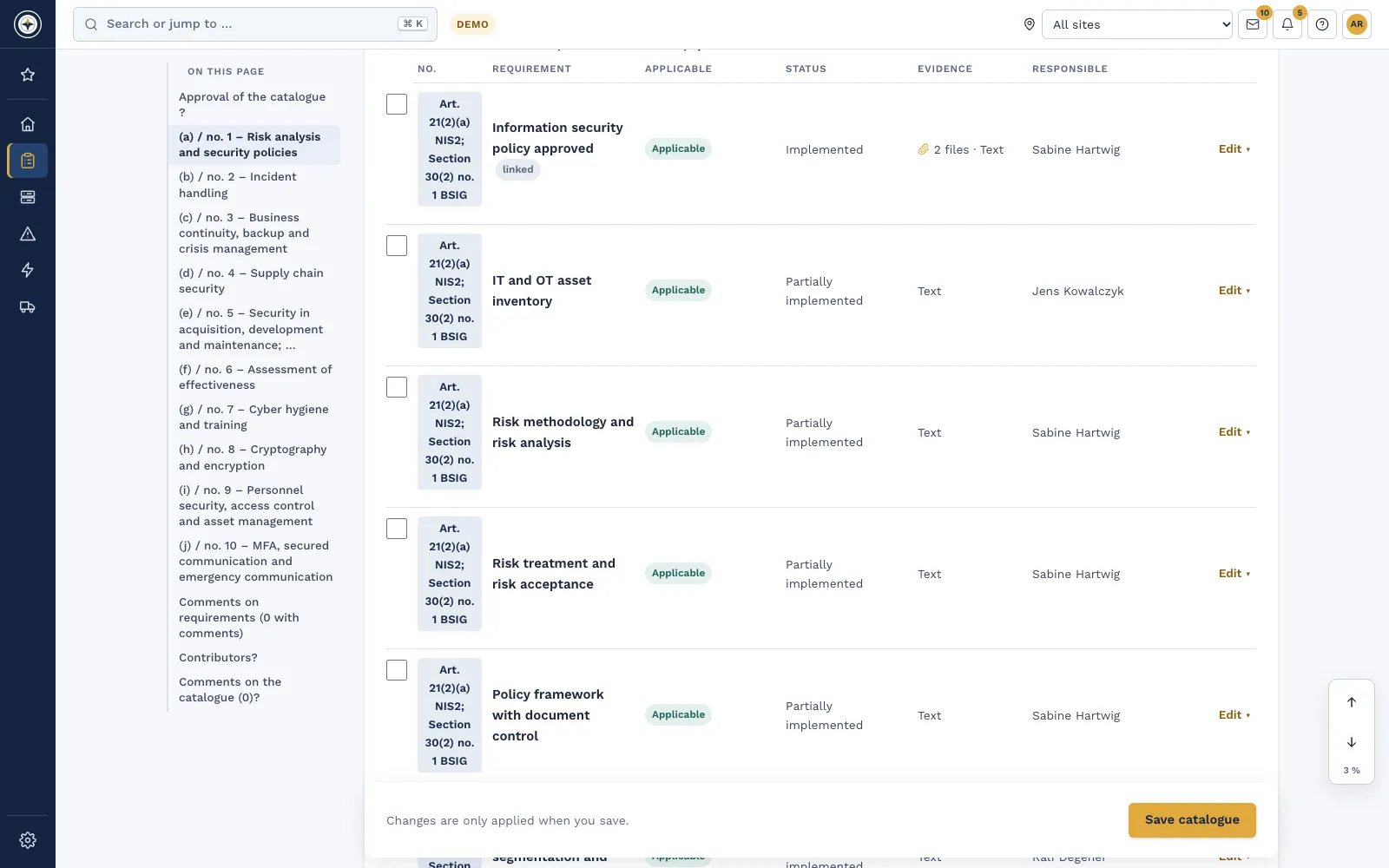
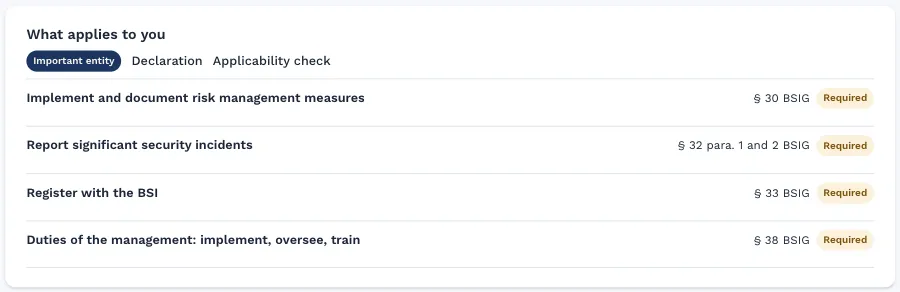
- Visible to management: The duty card in the management cockpit shows registration as a duty for the classification.
Frequently asked questions
We have been covered for some time and are not registered yet. What should we do?
Register now, as the BSI expressly asks. Start with the MUK application, because the letter takes time. The BSI can also carry out the registration itself if the duty is not met (§ 33(3) BSIG).
What does registration cost?
According to the BSI, MUK creates the certificate file free of charge. We found no information on further fees for registration in the BSI's instructions.
We have no German tax number. Is it still possible?
MUK requires a German tax number, but not a registered office in Germany. Otherwise contact the BSI, and first clarify whether the BSI is responsible for you (§§ 59 and 60 BSIG).
Can a service provider handle the registration for us?
The BSI's instructions do not describe this expressly. They name external people as possible owners, but each user needs their own certificate of the registered company. Clarify details directly with the BSI.
Does registration confirm our classification?
No. You state the classification yourself and remain responsible for the assessment. So keep your reasoning on file.
In a demo we show you how registration, classification and duties connect in Complass.
Request a demo Try it for 14 days
Read more
- Guide "Who is affected by NIS2?"
- Guide "Implementing NIS2: the step-by-step guide"
- Guide "The NIS2 reporting duty in practice"
- NIS2 and the BSIG in Complass: applicability, duties and implementation
- Free applicability check
Not legal advice. This guide gives a general overview and does not replace an assessment of the individual case. The current wording of the BSIG and the BSI's instructions are authoritative.