

Funzionalità
Integrazioni: Complass viene al vostro team, non il contrario
Compiti e approvazioni arrivano in Teams, Slack, Jira o ServiceNow. Inventario e stato tornano da lì.
Funziona con
Complass exchanges data with these tools and formats: connected directly or by importing their result files. Choose a tile to see which data is exchanged and how.
Collegato direttamente
Importare i risultati
Formati aperti
I nomi di prodotti e i marchi citati appartengono ai rispettivi titolari. Non esiste alcuna partnership, certificazione o raccomandazione da parte dei titolari. Note sui marchi
Indicano soltanto con quali strumenti e formati Complass scambia dati. Active Directory, Azure, Microsoft, Microsoft 365, Microsoft Entra, Microsoft Sentinel e Microsoft Teams sono marchi del gruppo di società Microsoft. Jira è un marchio di Atlassian. Slack è un marchio di Slack Technologies, LLC. ServiceNow è un marchio registrato di ServiceNow, Inc. GitHub è un marchio di GitHub, Inc. Elastic è un marchio di Elasticsearch B.V. Tenable Nessus è un marchio registrato di Tenable, Inc. Nmap è un marchio registrato del Nmap Project. MITRE ATT&CK® è un marchio registrato di The MITRE Corporation. CSAF è uno standard di OASIS Open, il logo proviene da OASIS. XCCDF è un formato del NIST SCAP; il logo NIST indica soltanto il formato, non una verifica, convalida o approvazione da parte del NIST. Logo Grype di Anchore, CC BY 4.0.
GitHub
Identità, evidenze
Complass reads members, teams and rights of your GitHub organisation for access reviews and checks settings such as 2FA or branch protection as evidence.
GitHub organisation→toIdentità e accessi
- Collegamento
- Your own GitHub app, installed on one organisation on GitHub.com, with read permissions only.
- Direction
- Read only. Complass refuses apps with write or admin permissions.
- Which data
- Members with role and 2FA status, outside collaborators, teams and their repositories.
- Optional: direct repository rights from write access upwards.
- For evidence only switches and figures, such as required 2FA, branch protection, secret scanning and Dependabot.
- In Complass
- Identities and access, access reviews and evidence at the matching requirements of your frameworks.
- How often
- Daily, or every six hours or weekly if you prefer. The first run is a preview.
- What you set up
- Create and install the GitHub app with read permissions on members, organisation administration and repository metadata.
- Protezione dei dati
- No code, issues, pull requests, secrets or e-mail addresses. The app's private key is stored encrypted in Complass.
Microsoft Teams
Complass posts important events to your Teams channels.
Event in Complass→toCard in Teams
- Collegamento
- Through a Teams workflow whose address you enter in Complass.
- Direction
- Complass sends messages. Nothing comes back from Teams.
- Which data
- Messages about incidents and reporting deadlines, new vulnerabilities, due and assigned tasks, pending approvals, evidence, backups, certificates and other events
- In Complass
- In the chosen Teams channel, as a card with a link to the entry in Complass.
- How often
- Right when the event happens. Many messages in a short time are combined into one summary.
- What you set up
- No Microsoft Graph permission and no app registration.
- Protezione dei dati
- Complass reads no Teams messages. You decide how much content a message shows. Whistleblower reports never appear in Teams.
Slack
Complass posts important events to your Slack channels.
Event in Complass→toMessage in Slack
- Collegamento
- Through the webhook of a Slack app in your workspace. Complass shows you the ready-made template for the app.
- Direction
- Complass sends messages.
- Which data
- Messages about incidents and reporting deadlines, new vulnerabilities, due and assigned tasks, pending approvals, evidence, backups, certificates and other events
- In Complass
- The Slack channel you choose. Every message links back to the entry in Complass.
- How often
- Right when the event happens. Many messages in a short time are combined into one summary.
- What you set up
- Create the Slack app from the template, choose a channel and enter the webhook address in Complass.
- Protezione dei dati
- The webhook address is stored encrypted in Complass. Complass reads no Slack messages. You decide how much content a message shows.
Jira
Cloud e Data Center
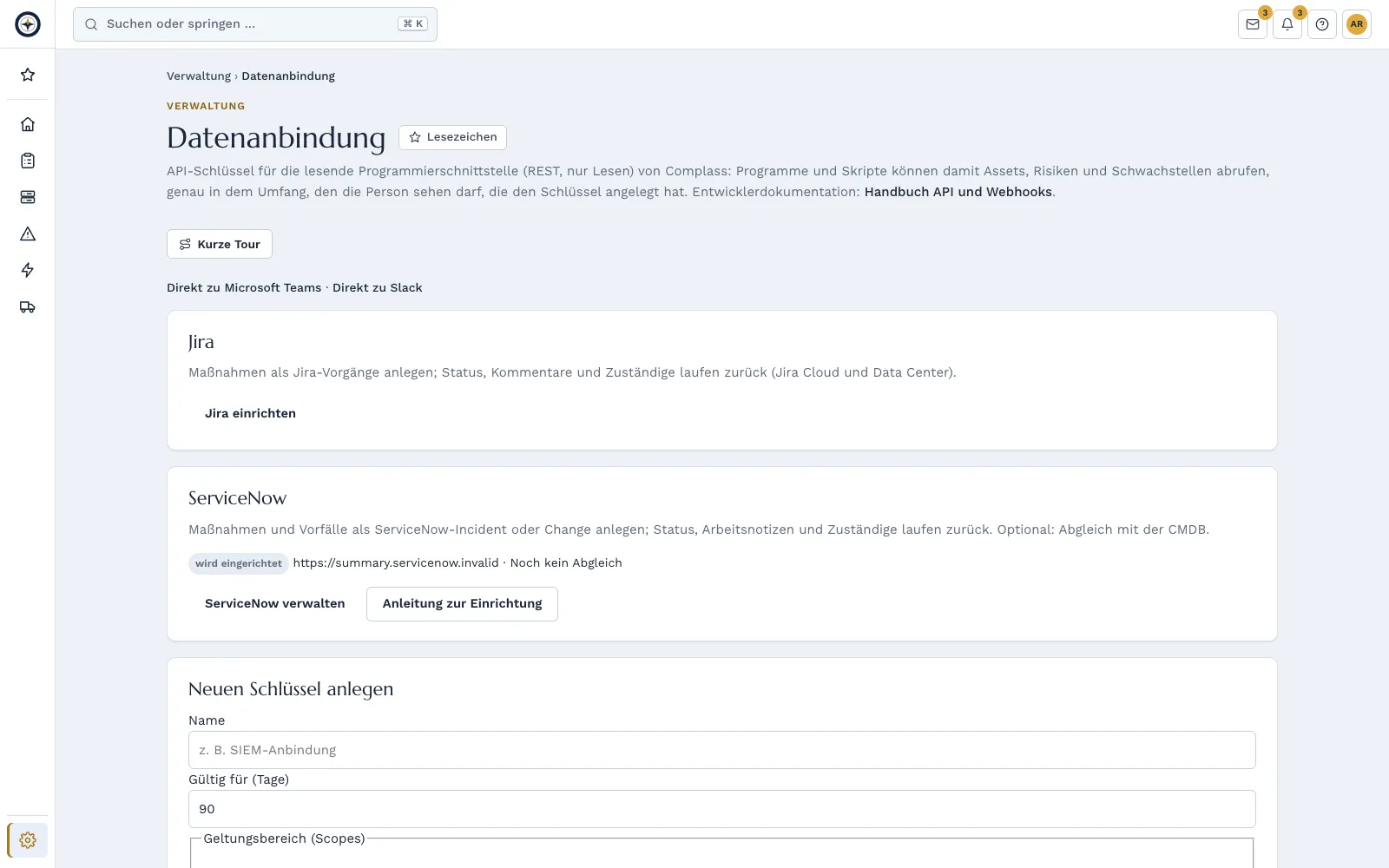
Tasks from Complass become Jira issues. Status, comments and assignees come back.
Task in Complass⇄both waysIssue in Jira
- Collegamento
- Jira Cloud through OAuth 2.0, that is a sign-in at Atlassian. Jira Data Center through a personal access token.
- Direction
- Both directions.
- Which data
- To Jira: title, deadline, priority and the control reference. The description only if you choose so.
- From Jira: status, comments and assignee.
- In Complass
- Action plan. When Jira reports "done", the responsible person confirms in Complass, so the evidence stays a human decision.
- How often
- Handover with one click or by a rule you set. Updates come back about every five minutes.
- What you set up
- Cloud: consent at Atlassian to read and create issues and to read users. Data Center: a technical user with an access token, the server reachable from the internet over HTTPS.
- Protezione dei dati
- Access tokens are stored encrypted in Complass. No attachments, no evidence documents. Tasks from whistleblower reports and data breaches never go to Jira.
ServiceNow
Tasks and, if you wish, incidents from Complass become ServiceNow tickets. Status, assignees and notes come back.
Task or incident⇄both waysIncident or change in ServiceNow
- Collegamento
- OAuth client in your own ServiceNow instance.
- Direction
- Both directions.
- Which data
- To ServiceNow: short description, description if you choose so, impact, urgency, deadline and assignment group.
- From ServiceNow: state, assignee, work notes and comments.
- Coming soon from the CMDB: serial number, asset tag, name and network addresses to match your assets.
- In Complass
- Action plan and incidents. Coming soon: the CMDB match suggests pairs that a person confirms. Complass never creates assets from the CMDB.
- How often
- Handover with one click, in bulk or by rule. Updates about every five minutes.
- What you set up
- An integration user with its own role, which Complass provides as an update set: create and change tickets, never delete. No admin role.
- Protezione dei dati
- Credentials are stored encrypted in Complass. Comments are only sent when their author ticks the box. Whistleblower reports and data breaches never go to ServiceNow.
Microsoft Entra ID
Identità, evidenze
Complass reads accounts, roles and groups from your Microsoft Entra ID for access reviews and checks key security settings as evidence.
Microsoft Entra ID→toIdentità e accessi
- Collegamento
- Your own app registration in your tenant with read permissions only. This direct connection replaces the Entra ID file import.
- Direction
- Read only. Complass refuses access with write permissions.
- Which data
- Accounts: display name, sign-in name, enabled or disabled, member or guest.
- Role assignments, eligible roles from PIM and the groups you select.
- Optional: last sign-in and whether MFA is registered.
- For evidence only figures, such as the share with MFA, conditional access rules and the number of global admins.
- In Complass
- Identities and access, access reviews and checks for orphaned accounts. The evidence appears at the matching requirements of your frameworks.
- How often
- Daily, or every six hours or weekly if you prefer. The first run is a preview.
- What you set up
- Application permissions with admin consent, for example User.Read.All, GroupMember.Read.All and RoleManagement.Read.Directory. A secret with an expiry date; Complass reminds you in time.
- Protezione dei dati
- No phone numbers, addresses, sign-in logs, IP addresses or mailbox data. Evidence contains no names. The secret is stored encrypted in Complass.
Microsoft 365
Licenze
Complass reads how many Microsoft 365 licences you have and how many are assigned, and reconciles that with your contracts.
Licenze Microsoft 365→toContracts
- Collegamento
- Your own app registration in your tenant with a single read permission.
- Direction
- Read only. Any further permission makes Complass pause the connection.
- Which data
- Per product: name, purchased and assigned licences, state.
- In Complass
- Contract management: licence reconciliation between purchased and used.
- How often
- Daily, or every six hours or weekly if you prefer.
- What you set up
- Application permission LicenseAssignment.Read.All or Organization.Read.All with admin consent.
- Protezione dei dati
- Only figures per product, no names of licensed people.
Tenable Nessus
Upload your Nessus scans as a file. Complass assigns the vulnerabilities to your assets.
Nessus export→toVulnerabilities per asset
- Collegamento
- File upload in .nessus format, also compressed, up to 50 MB.
- Direction
- Import only. Complass does not connect to the tool.
- Which data
- Per host: name and IP address.
- Per finding: CVE or Nessus plugin, title, port, severity and CVSS score. Pure information items without a CVE are not taken over.
- In Complass
- Vulnerability management. A preview shows per host which asset matches and what is new. An import can be undone.
- How often
- With every upload. If a new scan no longer reports a finding, Complass closes it automatically.
- What you set up
- Nothing. You export the file and upload it.
- Protezione dei dati
- Complass does not read plugin output or solution texts. Between upload and adoption only the parsed data is kept, encrypted, for at most 24 hours.
Greenbone/OpenVAS
Upload reports from Greenbone or OpenVAS. Complass assigns the vulnerabilities to your assets.
Greenbone report→toVulnerabilities per asset
- Collegamento
- File upload of the report in XML format, up to 50 MB.
- Direction
- Import only. Complass does not connect to the tool.
- Which data
- Per finding: host with IP address and name, CVE or test, title, port and severity.
- In Complass
- Vulnerability management. A preview shows per host which asset matches and what is new. An import can be undone.
- How often
- With every upload. If a new scan no longer reports a finding, Complass closes it automatically.
- What you set up
- Nothing. You export the file and upload it.
- Protezione dei dati
- Between upload and adoption only the parsed data is kept, encrypted, for at most 24 hours.
Trivy
Upload Trivy results for container images, repositories or file systems, by hand or from your CI through the API.
Trivy report→toVulnerabilities per component
- Collegamento
- File upload in JSON format or automatically through the Complass API.
- Direction
- Import only. Complass does not connect to the tool.
- Which data
- Per finding: CVE, title, severity, CVSS score, package with version and package URL, and the fixed version.
- Complass does not read misconfigurations or detected secrets from the file.
- In Complass
- Vulnerability management, with component and version at the asset.
- How often
- With every upload. If a new scan no longer reports a finding, Complass closes it automatically.
- What you set up
- Nothing. For CI an API key with write access to vulnerabilities.
- Protezione dei dati
- Between upload and adoption only the parsed data is kept, encrypted, for at most 24 hours.
Grype
Upload Grype results, by hand or from your CI through the API.
Grype report→toVulnerabilities per component
- Collegamento
- File upload in JSON format or automatically through the Complass API.
- Direction
- Import only. Complass does not connect to the tool.
- Which data
- Per finding: CVE, severity, CVSS score, package with version, package URL and CPE, and fixed versions.
- In Complass
- Vulnerability management, with component and version at the asset.
- How often
- With every upload. If a new scan no longer reports a finding, Complass closes it automatically.
- What you set up
- Nothing. For CI an API key with write access to vulnerabilities.
- Protezione dei dati
- Between upload and adoption only the parsed data is kept, encrypted, for at most 24 hours.
ZAP
Upload ZAP reports to track findings from web application scans.
ZAP report→toVulnerabilities per application
- Collegamento
- File upload in JSON or XML format or automatically through the Complass API.
- Direction
- Import only. Complass does not connect to the tool.
- Which data
- Per site: host. Per alert: name, risk level and CVE if given. Pure information items are not taken over.
- In Complass
- Vulnerability management. A preview shows per host which asset matches and what is new. An import can be undone.
- How often
- With every upload. If a new scan no longer reports a finding, Complass closes it automatically.
- What you set up
- Nothing. You export the file and upload it.
- Protezione dei dati
- Between upload and adoption only the parsed data is kept, encrypted, for at most 24 hours.
Nuclei
Upload Nuclei results. Complass assigns the matches to your assets.
Nuclei result→toVulnerabilities per asset
- Collegamento
- File upload in JSONL format, one line per match.
- Direction
- Import only. Complass does not connect to the tool.
- Which data
- Per match: host, IP address, template, name, severity and CVE if given.
- In Complass
- Vulnerability management. A preview shows per host which asset matches and what is new. An import can be undone.
- How often
- With every upload. If a new scan no longer reports a finding, Complass closes it automatically.
- What you set up
- Nothing. You export the file and upload it.
- Protezione dei dati
- Between upload and adoption only the parsed data is kept, encrypted, for at most 24 hours.
Burp Suite
Take findings from a Burp Suite pentest into an audit report and track them until the retest.
Burp issues export→toFindings in the pentest report
- Collegamento
- File upload of the issues export in XML format when importing a pentest report, up to 50 MB.
- Direction
- Import only. Complass does not connect to the tool.
- Which data
- Per finding: title, severity, location, description, recommendation and CWE.
- In Complass
- Pentest and audit reports: findings with deadline, owner, task and retest. A finding is closed only after the retest.
- How often
- One upload per report.
- What you set up
- Nothing. You export the file and upload it.
- Protezione dei dati
- Complass never reads requests and responses from Burp, because they can contain session data.
Nmap
Build or update your asset inventory from an Nmap scan.
Nmap scan→toAssets and services
- Collegamento
- File upload of the Nmap XML output.
- Direction
- Import only. Complass does not connect to the tool.
- Which data
- Per reachable host: IP and MAC address, name, open ports with service and version, detected operating system.
- In Complass
- Asset management. Detected software feeds the match with known vulnerabilities. A preview shows new, changed and conflicting entries.
- How often
- With every upload. A scan does not overwrite values you maintained by hand.
- What you set up
- Nothing. Active scans can disturb sensitive controllers; for OT networks the help recommends a reachability scan only.
- Protezione dei dati
- Between upload and adoption only the parsed data is kept, encrypted, for at most 24 hours.
Wazuh
Take over the hardening checks (SCA) from Wazuh and see per asset how well it meets your baseline.
Wazuh SCA result→toHardening per asset
- Collegamento
- File upload of the SCA results in JSON format or automatically through the Complass API.
- Direction
- Import only. Complass does not connect to the tool.
- Which data
- Per check: ID, title, result, policy and references.
- In Complass
- Hardening: result per asset and baseline, with score and exceptions. Complass does not take over Wazuh alerts or detections.
- How often
- With every upload.
- What you set up
- Nothing. You export the file and upload it.
- Protezione dei dati
- Complass stores no commands, files, registry keys or measured values from the checks.
Sigma
Take over your Sigma rules as use cases and see which ATT&CK techniques they cover.
Sigma rules→toUse cases
- Collegamento
- File upload of single YAML files or a ZIP archive of a rule folder, up to 5,000 rules.
- Direction
- Import only. Complass does not connect to the tool.
- Which data
- Per rule: title, ID, status, level, description, ATT&CK tags and log source.
- In Complass
- Detection: use cases and ATT&CK coverage.
- How often
- With every upload.
- What you set up
- Nothing. You export the file and upload it.
- Protezione dei dati
- Complass does not read the detection part of the rules.
Veeam
Prove your backups with the job results from Veeam.
Veeam job report→toBackup evidence
- Collegamento
- File upload of the job report as CSV, or a script on your side that sends the results to the Complass API.
- Direction
- Import only. Complass has no access to Veeam.
- Which data
- Per run: job name, end time, result and optionally the size.
- In Complass
- Backup and recovery: jobs, runs and their assets. Complass reports a failed backup.
- How often
- With every upload or as often as your script runs.
- What you set up
- Nothing for the upload. For the script an API key for the evidence source.
- Protezione dei dati
- Metadata only. No backup content, no paths with user names, no passwords.
OWASP Dependency-Check
Upload reports from OWASP Dependency-Check, by hand or from your CI through the API.
Dependency-Check report→toVulnerabilities per library
- Collegamento
- File upload in JSON format or automatically through the Complass API.
- Direction
- Import only. Complass does not connect to the tool.
- Which data
- Per library: file name, package URL and CPE. Per finding: CVE, severity and CVSS score.
- In Complass
- Vulnerability management, with the component at the asset.
- How often
- With every upload. If a new scan no longer reports a finding, Complass closes it automatically.
- What you set up
- Nothing. For CI an API key with write access to vulnerabilities.
- Protezione dei dati
- Between upload and adoption only the parsed data is kept, encrypted, for at most 24 hours.
Zeek
Discover devices, services and connections in your network from Zeek logs.
Zeek logs→toAssets and connections
- Collegamento
- File upload of the conn, known_hosts, known_services, dhcp and software logs, as TSV or JSON, also compressed.
- Direction
- Import only. Complass does not connect to the tool.
- Which data
- Hosts with IP and MAC address and names, services, software, first and last seen, and observed connections between hosts.
- In Complass
- Asset management with the connections between assets. A preview shows new and changed entries.
- How often
- With every upload.
- What you set up
- Nothing. You export the file and upload it.
- Protezione dei dati
- Complass takes only devices, services and connections, no content of the communication. Between upload and adoption only the parsed data is kept, encrypted, for at most 24 hours.
Microsoft Sentinel
Show which detection rules and log sources you run in Microsoft Sentinel, without handing log data to Complass.
Microsoft Sentinel→toUse cases and log sources
- Collegamento
- File upload: export of the analytics rules as JSON or ARM template, and the result of two fixed queries as CSV.
- Direction
- Import only. Complass does not connect to the tool.
- Which data
- Per rule: name, ID, severity, enabled or not and ATT&CK techniques.
- Per table: name and time of the last event.
- In Complass
- Detection and logging: use cases, ATT&CK coverage and log sources. If a source goes silent, Complass reports it.
- How often
- With every upload.
- What you set up
- Nothing. You export the file and upload it.
- Protezione dei dati
- Complass discards the rule queries. Metadata only. Complass stores no content from logs, queries or results.
Elastic
Show which detection rules you run in Elastic and which ATT&CK techniques they cover.
Elastic rule export→toUse cases
- Collegamento
- File upload of the rule export in NDJSON format.
- Direction
- Import only. Complass does not connect to the tool.
- Which data
- Per rule: name, ID, severity, enabled or not, ATT&CK techniques and indices used.
- In Complass
- Detection: use cases and ATT&CK coverage. A preview shows new and known rules.
- How often
- With every upload.
- What you set up
- Nothing. You export the file and upload it.
- Protezione dei dati
- Complass discards the rule queries. Metadata only. Complass stores no content from logs, queries or results.
Microsoft Entra ID
Take over accounts from Microsoft Entra ID by file, without any app registration.
Entra user export→toAccounts
- Collegamento
- File upload of the user export from the Entra admin centre, optionally with the MFA registration export.
- Direction
- Import only. For a daily sync there is the direct Entra ID connection.
- Which data
- Sign-in name, display name, enabled or disabled, member or guest. Optional: MFA registered and admin role.
- In Complass
- Identities and access and access reviews. If an account is missing from a later file, Complass marks it removed only after you confirm.
- How often
- With every upload.
- What you set up
- Nothing. You only need an Entra role that may download users.
- Protezione dei dati
- Complass drops all other columns before storing. Between upload and adoption only the parsed data is kept, encrypted, for at most 24 hours.
Active Directory
Take over accounts from your Active Directory with a read-only PowerShell command.
AD export→toAccounts
- Collegamento
- File upload of a CSV file created by a PowerShell command. Complass shows you the command.
- Direction
- Import only. Complass does not connect to your directory.
- Which data
- Account name, display name, sign-in name or e-mail, enabled or not, last sign-in.
- Whether an account is privileged, for example as domain admin, or a service account.
- In Complass
- Identities and access and access reviews.
- How often
- With every upload.
- What you set up
- Nothing. The command only needs read access to the directory.
- Protezione dei dati
- Group memberships only decide the "privileged" flag and are not stored.
Azure Backup
Prove your backups with the job results from Azure Backup.
Azure Backup report→toBackup evidence
- Collegamento
- File upload of the backup report as CSV.
- Direction
- Import only. Complass has no access to Azure.
- Which data
- Per run: backup item, time and result.
- In Complass
- Backup and recovery: jobs, runs and their assets.
- How often
- With every upload.
- What you set up
- Nothing. You export the file and upload it.
- Protezione dei dati
- Metadata only. No backup content.
CycloneDX
Read software bills of materials (SBOM) in CycloneDX format and issue them for your products.
SBOM file⇄both waysComponents and vulnerabilities
- Collegamento
- File upload and export, as JSON or XML.
- Direction
- Both directions.
- Which data
- Import (version 1.4 to 1.6): components with version, package URL, licence and hashes, plus vulnerabilities and VEX assessments.
- Export (version 1.6): SBOM per asset or own product and CycloneDX VEX with the status of every vulnerability.
- In Complass
- The asset's software list, vulnerability management and licence overview. Complass takes over assessments such as "not affected" or "fixed".
- How often
- With every upload or export. Saved SBOM snapshots can be compared.
- What you set up
- Nothing. Exporting needs the "Export" right in asset management.
- Protezione dei dati
- An SBOM leaves Complass only when you export or release it.
OpenVEX
Take over your suppliers' assessments in OpenVEX format, for example that a product is not affected by a vulnerability.
OpenVEX document→toVulnerability status
- Collegamento
- File upload or the Complass API.
- Direction
- Import only.
- Which data
- Per statement: vulnerability, product, status and justification.
- In Complass
- Vulnerability management: status of matching findings. The import does not overwrite an assessment you set yourself.
- How often
- With every upload.
- What you set up
- Nothing. You export the file and upload it.
CSAF
Read vendor security advisories in CSAF format and issue your own advisories and VEX in CSAF.
CSAF advisories⇄both waysVulnerabilities and assets
- Collegamento
- Automatic retrieval of public advisories from vendors that offer CSAF, plus file upload and export.
- Direction
- Both directions.
- Which data
- Import: CSAF 2.0 security advisories and VEX. Complass checks signature and hash; an advisory that fails the check is not used.
- Export: CSAF VEX from your findings and customer notices under the Cyber Resilience Act.
- In Complass
- Vendor advisories matched against your assets by vendor, model and version. Matches become findings.
- How often
- Retrieval regularly per enabled source, upload and export at any time.
- What you set up
- Nothing. You switch the sources on or off in Complass.
- Protezione dei dati
- Complass retrieves only public advisories and sends no data about your assets.
XCCDF
Take over hardening checks from tools such as OpenSCAP or CIS-CAT in XCCDF format.
XCCDF result→toHardening per asset
- Collegamento
- File upload of XCCDF 1.1 or 1.2 and ARF, up to 100 MB, or through the Complass API.
- Direction
- Import only.
- Which data
- Per rule: ID, title and result.
- In Complass
- Hardening: result per asset and baseline. If no matching baseline exists, Complass creates it.
- How often
- With every upload.
- What you set up
- Nothing. You export the file and upload it.
- Protezione dei dati
- Complass does not read check details or system facts from the file.
MITRE ATT&CK®
Complass includes MITRE ATT&CK for IT and OT: as a framework, as a coverage map and as a reference for vulnerabilities, incidents and risks.
MITRE ATT&CK→toCoverage and references
- Collegamento
- Complass loads the public ATT&CK data itself. You do not need to import anything.
- Direction
- Complass reads public data. Exports as Excel, CSV, PDF or JSON.
- Which data
- Tactics, techniques, mitigations and data sources for Enterprise and ICS.
- In Complass
- Coverage map, detection map from your use cases, techniques at vulnerabilities, incidents and risks.
- How often
- Updated monthly.
- What you set up
- Nothing. You choose whether you see Enterprise, ICS or both.
- Protezione dei dati
- None of your data leaves Complass for ATT&CK.
SPDX
Read and issue software bills of materials in SPDX format, also in the version BSI TR-03183-2 asks for.
SPDX file⇄both waysComponents
- Collegamento
- File upload and export.
- Direction
- Both directions.
- Which data
- Import: SPDX 2.2 and 2.3 as JSON.
- Export: SPDX 2.3 as JSON and SPDX 3.0.1 as JSON-LD.
- In Complass
- The asset's software list and the match with known vulnerabilities.
- How often
- With every upload or export.
- What you set up
- Nothing. Exporting needs the "Export" right in asset management.
SARIF
Upload results from code scanners in SARIF format, by hand or from your CI through the API.
SARIF report→toVulnerabilità
- Collegamento
- File upload in SARIF 2.1.0 format or automatically through the Complass API.
- Direction
- Import only.
- Which data
- Per finding: tool, rule, message, level, severity and location.
- In Complass
- Vulnerability management.
- How often
- With every upload. If a new scan no longer reports a finding, Complass closes it automatically.
- What you set up
- Nothing. For CI an API key with write access to vulnerabilities.
- Protezione dei dati
- Between upload and adoption only the parsed data is kept, encrypted, for at most 24 hours.
La compliance raramente fallisce per mancanza di conoscenze, ma perché le attività si trovano in un ulteriore strumento che nessuno apre.
Come Complass aiuta
Microsoft Teams
Scadenze, approvazioni, obblighi di notifica e nuovi incidenti compaiono come scheda nel canale.
Slack
Segnalazioni nel canale; con l’app Slack anche con pulsanti: assumete le attività e confermate la presa visione direttamente in Slack, con i vostri diritti.
Mattermost
Avvisi nei canali del Suo server Mattermost. Lei inserisce l’indirizzo, Complass verifica il server e Lei lo approva.
Microsoft Entra ID, Microsoft 365 e GitHub
Account, gruppi e diritti per i riesami degli accessi, impostazioni come MFA quale evidenza automatica e il numero di licenze Microsoft 365 per la riconciliazione delle licenze. Complass si limita a leggere.
Jira Cloud e Data Center
Da una misura si crea con un clic un ticket Jira; stato e commenti tornano indietro.
ServiceNow
Da misure e incidenti nascono incident o richieste di modifica in ServiceNow; lo stato torna indietro.
Zammad
Attività e incidenti come ticket nel vostro Zammad.
Connettori per gli asset
Il Suo inventario arriva in sola lettura da NetBox, Snipe-IT, Intune/Defender, Lansweeper e strumenti OT.
API REST e webhook
Leggere i Suoi dati come JSON o CSV, notificare eventi ai Suoi sistemi tramite webhook firmato.
Nei vostri strumenti
Misure come ticket
Chi lavora nel sistema di ticketing riceve l’attività proprio lì. Complass resta la fonte per evidenza e stato.
- Un clic dalla misura o dall’incidente, con link di ritorno a Complass.
- Stato e commenti vengono allineati; completato nel ticket significa completato in Complass, se così impostato.
- Persone e gruppi vengono assegnati una sola volta.
- Le istanze di Jira Data Center e ServiceNow vengono abilitate prima della prima connessione.
- Zammad: attività singole o raggruppate come ticket; ciò che è completato in Zammad lo confermate in Complass.
Avvisi nella chat
Scadenze e approvazioni raggiungono i responsabili dove già leggono.
- Teams: schede nel canale tramite un workflow di Teams.
- Slack: messaggi nel canale tramite webhook o con l’app Slack, su richiesta anche messaggi diretti e pulsanti per assumere e confermare.
- Mattermost: messaggi tramite un webhook in entrata nei canali del Suo server, dopo che Complass ha verificato il server e Lei lo ha approvato.
- Quali eventi vanno dove viene stabilito per ciascun canale; i contenuti riservati restano nel portale.
Connettori: inventario, identità, evidenze
I connettori leggono a intervalli regolari inventario, account e impostazioni. Complass non scrive mai indietro.
- IT: NetBox, Snipe-IT, Microsoft Intune e Defender, Lansweeper.
- Identità: account, gruppi e diritti da Microsoft Entra ID e GitHub per i riesami degli accessi.
- OT: Nozomi, Tenable OT, Claroty CTD e Defender for IoT tramite uno script relay nella Sua rete, senza connessione in ingresso.
- In versione beta: Armis, Claroty xDome, Tenable One e Nozomi Vantage.
- Sempre in beta e in sola lettura: Keycloak fornisce utenti, ruoli, secondo fattore e ultimo accesso per le revisioni degli accessi.
- Credenziali memorizzate in forma cifrata e mai più visualizzate dopo il salvataggio.
- Evidenze: impostazioni da Microsoft Entra ID, Microsoft 365, Google Workspace, AWS, Azure, GitHub e GitLab e la copertura delle scansioni da Greenbone, regolarmente e con un semaforo sui vostri requisiti. Vengono salvati numeri e impostazioni, non nomi di persone.
- Licenze: licenze Microsoft 365 acquistate e assegnate per prodotto, per la riconciliazione delle licenze.
- Per Microsoft Entra ID, Microsoft 365 e GitHub create una vostra app, che potete revocare in qualsiasi momento.
- Per AWS e Azure, Complass riceve un ruolo con soli diritti di lettura, che potete revocare in qualsiasi momento. GitLab e Greenbone inviano i dati tramite un job o un relay nella vostra rete; Complass non vi accede.
Connettori open source: collegare strumenti senza costi di licenza
Automazione: cosa Complass raccoglie e verifica da solo
Beta: Gli scanner di vulnerabilità Qualys, Rapid7, Greenbone, Tenable.sc e Tenable Vulnerability Management, oltre a Okta, Splunk, Microsoft Sentinel e la conformità dei dispositivi da Intune, sono disponibili in beta se il vostro pacchetto include i connettori: gratuiti durante la beta, senza impegno di servizio (SLA). Solo in lettura, finché il test sul sistema reale non è superato: Microsoft Intune, Qualys VMDR, Rapid7 InsightVM, Okta, Splunk, Microsoft Sentinel, Tenable Vulnerability Management, Tenable Security Center, Nessus, Tenable Vulnerability Management (Relay). Lì il connettore importa e mostra i dati, ma non chiude né modifica nulla automaticamente.
API e webhook da Professional: API e webhook, confrontare i pacchetti
Interfaccia REST
Un’interfaccia REST per leggere i vostri dati come JSON o CSV, ad es. asset, vulnerabilità, rischi, incidenti e misure. I webhook segnalano gli eventi ai vostri sistemi.
Chiavi API per azienda
Con ambito di validità, data di scadenza e revoca.
Webhook firmati
Webhook firmati, con nuovo tentativo e registro di consegna.
Registrato
Ogni chiamata viene registrata nel registro attività.
Documentazione OpenAPI
Documentazione in formato OpenAPI.
Registro della protezione dei dati in sola lettura
Con l’ambito dedicato “privacy:read”, gli strumenti di reporting e GRC leggono il vostro registro della protezione dei dati come metadati, senza contenuti personali. La chiave può essere assegnata solo dagli amministratori e ogni richiamo viene registrato.
Domande frequenti
Ho bisogno di un’integrazione per utilizzare Complass?
No. Tutto funziona nel portale; le integrazioni portano avvisi e attività anche nei Suoi strumenti.
Quali dati vanno all’altro sistema?
Solo ciò che stabilisce Lei: per ogni connessione sceglie se inviare solo tipo e link oppure anche titolo e scadenza; la Sua azienda può impostare un limite massimo. I file di evidenza restano in Complass.
In quale pacchetto sono incluse le integrazioni?
Teams from Business; Slack from Business; Mattermost from Business; Jira from Professional or with the add-on; Zammad from Professional or with the add-on; ServiceNow from Premium or with the add-on; connectors from Professional or with the add-on; access reviews with Entra ID and GitHub from Professional or as an add-on; evidence from Microsoft 365 and GitHub and licences from Microsoft 365 from Professional or with the add-on; API and webhooks from Professional.
Provate Complass con i vostri dati
Create voi stessi il vostro accesso di prova, se volete con un progetto di esempio per ogni quadro normativo. Se preferite vedere prima Complass, richiedete una demo.