

AI
AI in Complass: Draft faster, decide yourself
Suggestions with sources, a second look at your texts and answers from the help. Optional, and the decision stays with you.
Three helpers, each your own choice
All three are optional. Your administrator switches each feature on and off for the whole company. What is not switched on stays off.
AI fill-in assistant Optional
Suggests wording while you write and names the source from the legal text and the fill-in guidance.
AI review coming soon Optional
Reads your justifications against the requirement and points to gaps, mismatches and unclear wording.
AI help coming soon Optional
Answers questions about using Complass from the Complass help texts.
How the AI fill-in assistant works
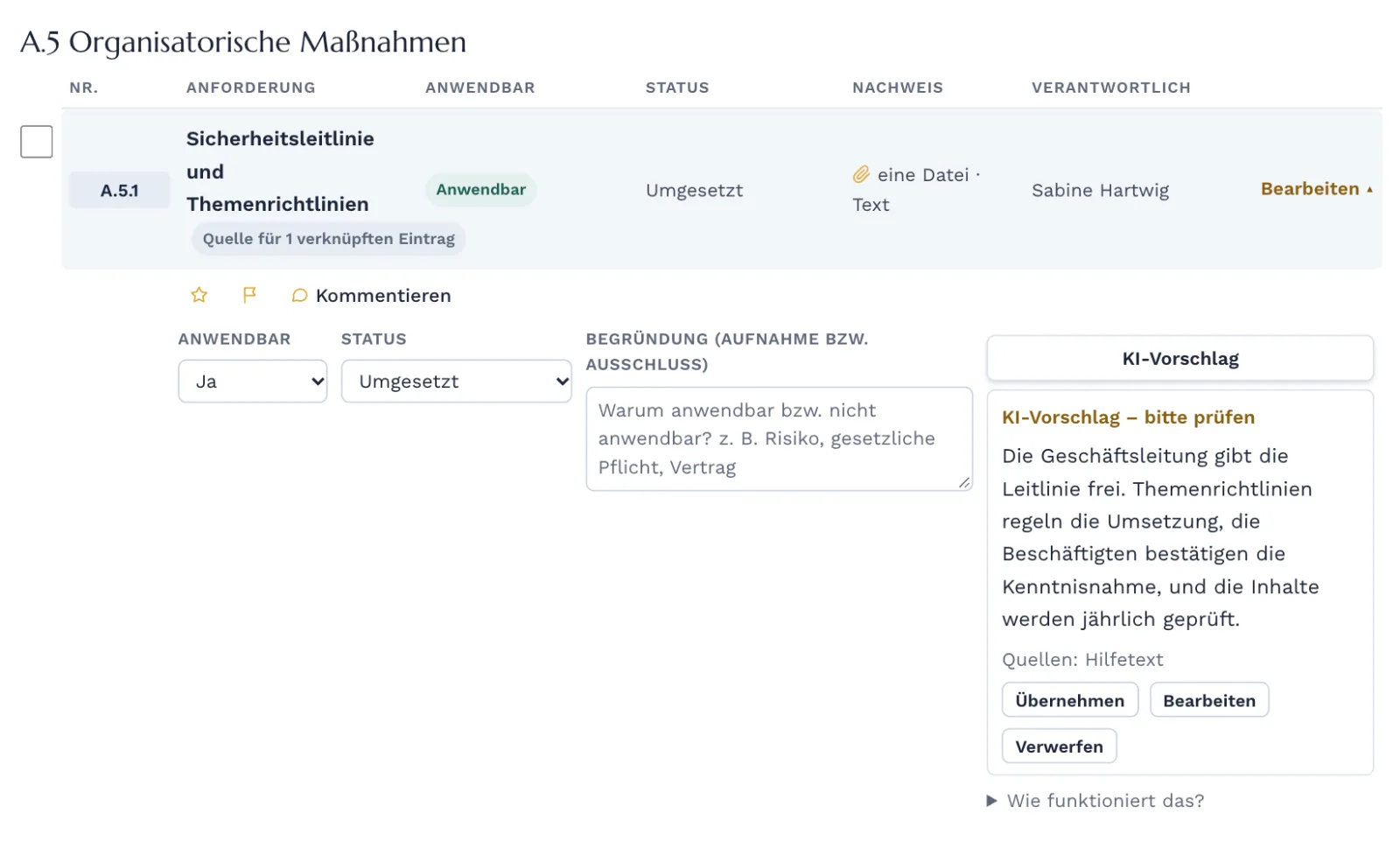
You find the “AI suggestion” button at justifications in the Statement of Applicability, in document sections, tasks and customer questionnaires, and as a review aid for supplier answers.
You ask
One click on “AI suggestion” next to the field.
Complass suggests
The suggestion appears with its source.
You decide
Accept, edit or discard.
You save
Saved texts carry the mark “AI-assisted”.
Your data stays under your control
Suggestions with sources
Every suggestion names what it is based on: the linked legal provision, the Complass fill-in guidance and your saved text.
You decide
Accept, edit or discard: nothing is applied or saved automatically. Saved suggestions are marked as AI-assisted.
Processing in the EU
In data centres in the EU, without training on your data. Names of people with an account, company and site names, email addresses, phone numbers and IP addresses are replaced by placeholders beforehand.
Only with your consent
Off by default. Your administrator switches the AI fill-in assistant on for your company after confirming the information on the data flow.
Logged
Every use is logged. Your administrators see the latest uses in the company settings.
Included in Professional and Premium. Available as an add-on for Start and Business: 300 suggestions per month for €29 net.
Frequently asked questions
Do I have to use the AI?
No. All AI features are off by default, and your administrator can switch them on and off for the whole company at any time. Complass works fully without them.
Does the AI read my data automatically?
No. No text goes to a language model unless your company has switched it on. After that, the fill-in assistant acts only when someone requests a suggestion. A person starts the AI review per project.
What is removed before sending?
Complass replaces email addresses, phone numbers, IP addresses, company and site names and the names of current users with placeholders. That does not catch everything, for example people without an account. Do not enter passwords or other secrets in texts.
Does the AI replace consulting?
No. Suggestions and hints help with wording and checking. They are not legal advice, and the responsibility stays with you.
No legal advice. Suggestions can be wrong or incomplete. Check every suggestion before you accept it.
See how the suggestions come about
In the demo we show you where the AI helps and how you switch it on and off.